RigBook 1.0.4: protected areas and an app rebuilt from the ground up
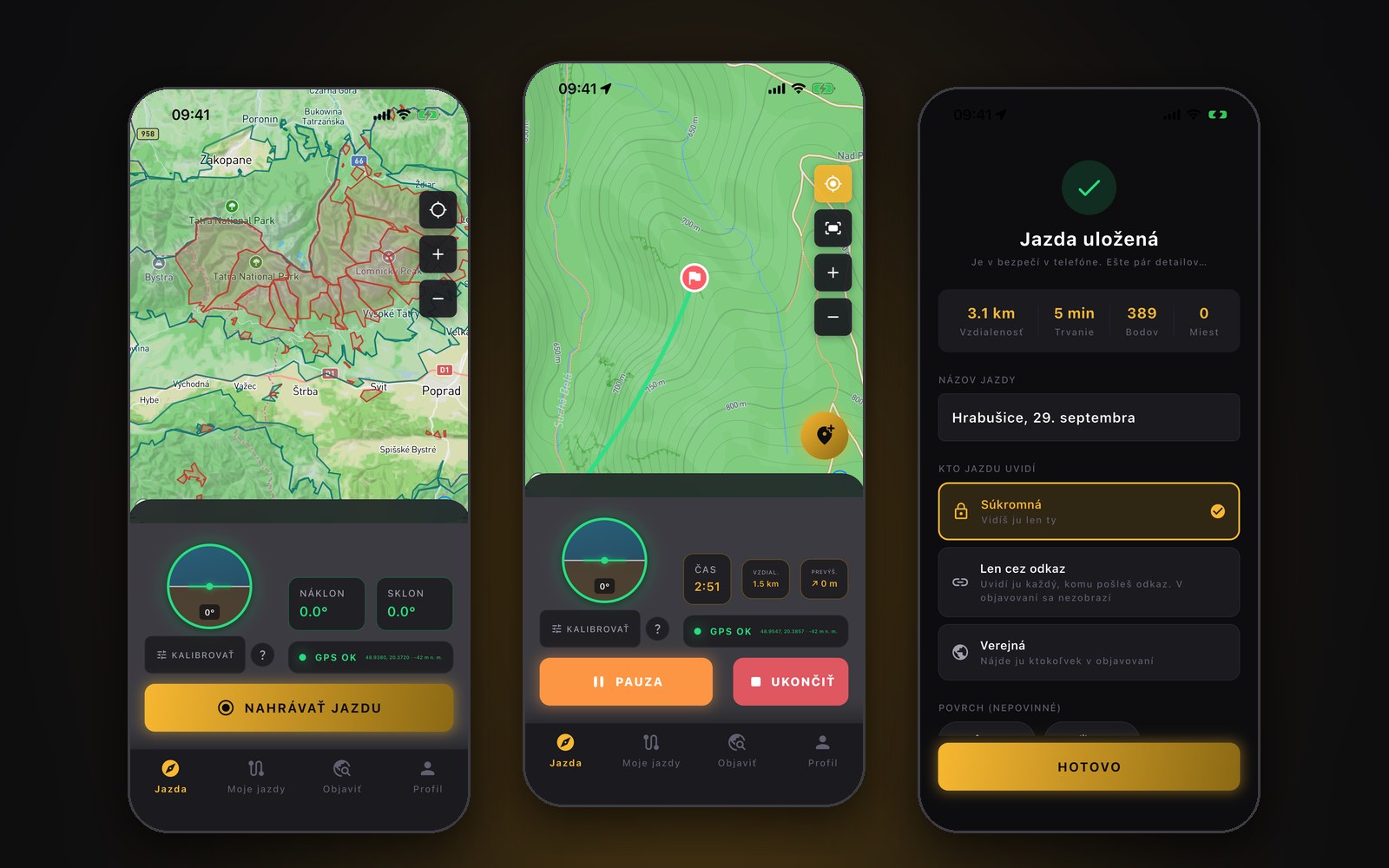
Protected areas on the map, with a warning when you drive in. An inclinometer that doesn't lie in corners. And an app rebuilt around how it's really used on the trail. Version 1.0.4 is out on the App Store and Google Play.
Back in July I wrote that I was working on the next version and that protected areas were first in line. They're done. And along the way I found out that the app I'd shipped was harder to use out on the trail than I'd thought. So I rebuilt it.
Version 1.0.4 is out on the App Store and Google Play. If you have automatic updates on, you may already have it. If not, just update RigBook in the store. Here's what's in it.
Protected areas right on the map
National parks, nature reserves, protected landscape areas — they show up on the map as marked zones. Tap one and the app tells you what it is. Drive into a protected area during a ride and your phone warns you.
The warning works without signal, too. The app downloads the areas around you ahead of time, while you still have coverage, so it doesn't go quiet exactly where you'd need it most.
The data comes from the European database of protected areas (CDDA, © EEA), so it doesn't stop at the Slovak border. It isn't a legal ruling on where you may and may not drive. It's a reason to stop and check where you actually are.
I tried forests as well. I turned them off. Slovakia is 40 % forest, and you can tell you're in the woods by looking out the window. The layer was burning battery and data for nothing.
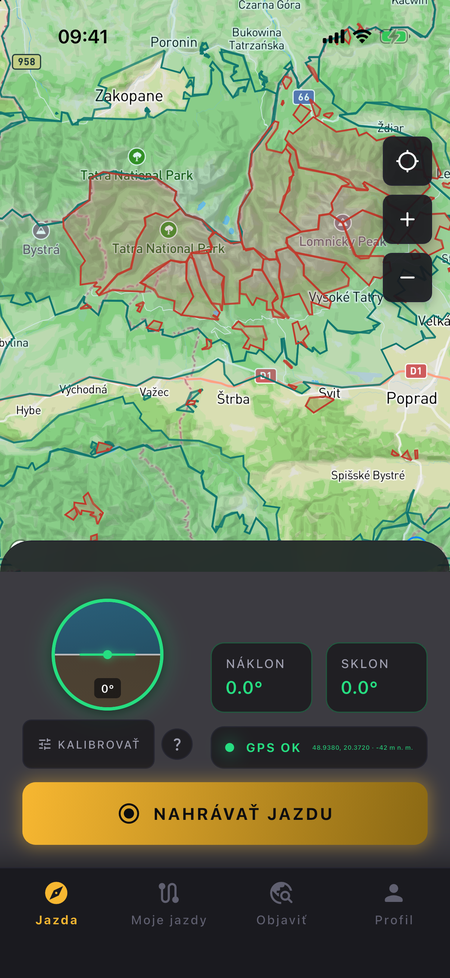
A map that doesn't freeze
The map now runs on a new native engine. You'll notice the difference the first time you zoom out — no stutter, even with hundreds of marked areas around you.
One more thing I only found out on the trail: if the signal dropped for a moment in the woods, the map could stay stuck for the rest of the ride. Not anymore.
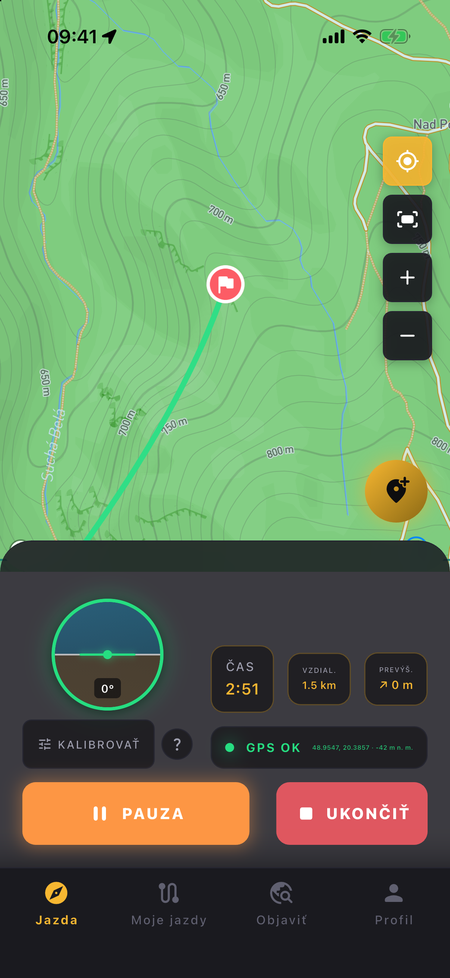
While you drive: everything within thumb's reach
I rebuilt the whole ride screen around how you actually use it — phone in a mount, one hand on the wheel, a trail that won't let you look away for long.
- The controls sit in the bottom panel, where your thumb reaches. You end a ride by holding the button, so the first bump won't do it for you.
- Time, distance and elevation are in front of you instead of coordinates nobody cared about.
- Lost GPS and pause light up across the full width of the screen, so you catch them out of the corner of your eye. When GPS drops, the phone vibrates.
- The ride shows in your notifications — time and distance without opening the app.
- Your ride doesn't get lost. If the app crashes or your battery dies, the next launch lets you continue, finish or discard it.
The inclinometer no longer lies in corners. Taking a bend a bit quicker could make it show 45°, because it read centrifugal force as tilt. Now it accounts for it. Crawling through terrain, it's at full sensitivity; on the road, it won't get thrown off.
And long rides: after an hour of driving, your login used to expire and the backup failed. The track stayed on your phone but never reached the server. That's fixed.
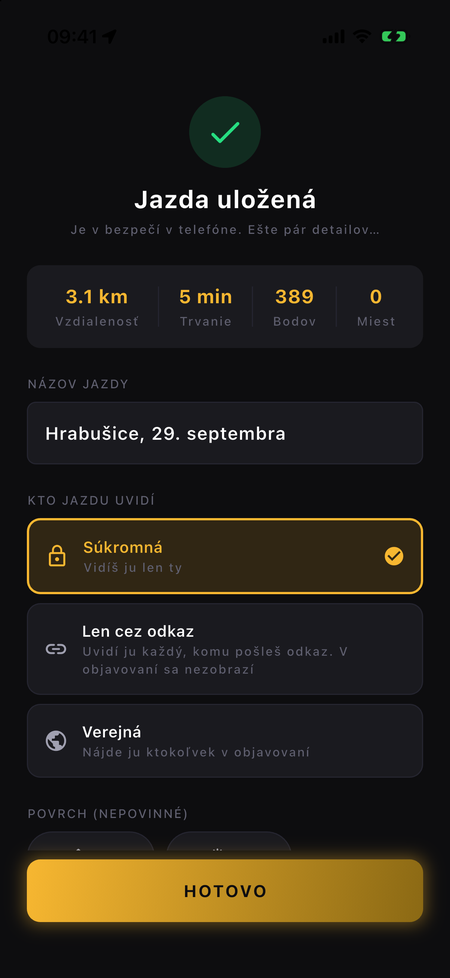
After the ride
When you end a ride, a new screen lets you wrap it all up in one step: a name (the app suggests one from the place and date), the terrain, and who gets to see it — only you, only people you send the link to, or everyone.
Hiding the start and end of a track now works the way it should have from day one. Others don't see the hidden part, but you still have the whole track. Before, the points were actually deleted.
Every ride has its own detail page with a map, stats and the spots you pinned along the way. From there you can share it by link, navigate to the start, or export it as GPX — to a Garmin, another app, wherever you like.
Photos from viewpoints are now saved to your phone's gallery as well, in a RigBook album.
New navigation
There are four tabs at the bottom: Ride, My rides, Explore, Profile. You can switch between them while recording and the ride keeps going.
My rides works offline and shows which rides are backed up and which aren't yet. Explore looks for tracks around you as soon as the app has your location, and your own rides stand out at a glance.
And the rest
- The app speaks English as well as Slovak, and you can switch the language in your profile.
- Changing your password, downloading your data and deleting your account are all right there in the app.
- If you use a larger font size on your phone, the screens no longer fall apart.
Why so much at once
I went through the app screen by screen and wrote down every spot where you get stuck, misunderstand something, or can't hit a button in a moving car. That came to more than sixty items. A big part of this version is exactly that list.
If something's still missing or not working, write to me at info@rigbook.app. I read everything.
Update, head out and let me know how it rides: App Store · Google Play
Comments (0)
Leave a comment